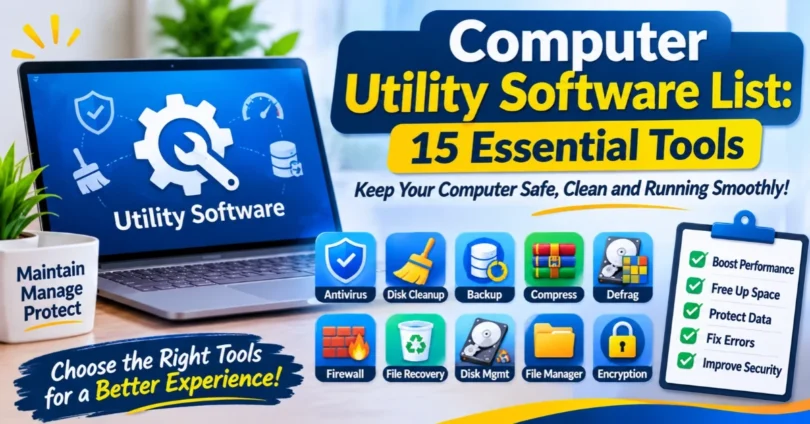
Computers help us complete many daily tasks, but they also need proper care to work smoothly. This is where utility software becomes important. A Computer Utility Software List, Helps users understand the different tools used to protect, clean, manage, and improve a computer. These tools include antivirus programs, disk cleanup tools, backup software, file compressors, and many others. Each tool has a special job that makes computer use easier and safer. In this article, we will explore 15 essential computer utility software tools, their examples, and how they help users keep their computers in good condition.
What Is Computer Utility Software?
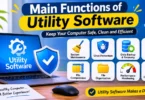
Computer utility software is a type of program that helps users manage, protect, and maintain their computers. It is designed to keep a computer working properly by performing important tasks such as removing unwanted files, protecting against viruses, recovering lost data, and managing storage space. Utility software also helps find and fix common computer problems. Some popular examples include antivirus software, disk cleanup tools, backup programs, and file compression tools. These programs make computers safer, faster, and easier to use. Utility software works like a helper that takes care of your computer and keeps it in good condition.
Why Is Utility Software Important for a Computer?
Utility software plays an important role in keeping a computer safe, clean, and working properly. It helps users manage their computers and solve common problems.
- Keeps the Computer Clean: It removes unwanted files and temporary data to free up storage space.
- Protects Against Viruses: Antivirus tools help find and remove harmful viruses and malware.
- Improves Computer Performance: Some utility tools help manage system resources and reduce unnecessary background tasks.
- Protects Important Files: Backup software creates copies of important data to prevent data loss.
- Fixes Common Problems: System repair tools help find and fix errors that may affect computer performance.
- Manages Storage Space: Disk management tools help users organize and manage their computer drives.
- Recovers Lost Data: File recovery software can help restore deleted or lost files when recovery is possible.
- Keeps Personal Information Safe: Encryption tools protect private files by making them difficult for others to access.
Utility software is important because it helps protect a computer, manage its files, fix problems, and keep it working smoothly for a long time.
Computer Utility Software List 15 Essential Tools
There are many types of utility software that help users protect, clean, and manage their computers. Below is a list of 15 essential computer utility software tools, along with their examples and main uses.
Antivirus Software
Antivirus software protects computers from viruses, malware, and other harmful programs. It scans files and detects possible threats before they damage your computer.
- Examples: Microsoft Defender, Bitdefender.
- Main Use: Protects computers from viruses and harmful files.
Disk Cleanup Software
Disk cleanup software removes unwanted files, temporary data, and other unnecessary items from a computer. It helps free up storage space.
- Examples: Windows Disk Cleanup, Storage Sense.
- Main Use: Removes unnecessary files and saves storage space.
Backup Software
Backup software creates copies of important files, photos, videos, and documents. These copies help users recover their data if the original files are lost or damaged.
- Examples: Windows Backup, Apple Time Machine.
- Main Use: Keeps extra copies of important data.
File Compression Software
File compression software reduces the size of files and folders. It also helps users combine multiple files into one compressed folder for easy sharing and storage.
- Examples: 7-Zip, WinRAR.
- Main Use: Reduces file size and makes sharing easier.
Disk Defragmentation Software
Disk defragmentation software organizes scattered data on traditional hard disk drives (HDDs). It helps the computer access stored files more efficiently.
- Examples: Windows Optimize Drives, Defraggler.
- Main Use: Organizes data on traditional hard drives.
Firewall Software
Firewall software helps protect a computer by controlling incoming and outgoing network connections. It can block unwanted connections that may create security risks.
- Examples: Windows Defender Firewall, ZoneAlarm.
- Main Use: Helps prevent unauthorized network access.
File Recovery Software
File recovery software helps users restore deleted or lost files. It can be useful when important documents, photos, or videos are accidentally removed.
- Examples: Recuva, TestDisk.
- Main Use: Helps recover deleted or lost files.
Disk Management Software
Disk management software helps users manage their computer drives and storage space. It can be used to create, delete, format, and resize disk partitions.
- Examples: Windows Disk Management, GParted.
- Main Use: Manages hard drives and disk partitions.
File Management Software
File management software helps users organize, find, move, copy, and delete files and folders. It makes it easier to keep computer data organized.
- Examples: Windows File Explorer, macOS Finder.
- Main Use: Organizes and manages files and folders.
Data Encryption Software
Data encryption software protects private information by changing readable data into a coded form. Only people with the correct password or key can access the protected information.
- Examples: BitLocker, VeraCrypt.
- Main Use: Protects private files and sensitive information.
System Monitoring Software
System monitoring software shows information about computer performance. It helps users check processor usage, memory, temperature, and other system details.
- Examples: Windows Task Manager, HWiNFO.
- Main Use: Monitors computer performance and system resources.
Uninstaller Software
Uninstaller software helps users remove unwanted programs from their computers. Some tools also remove leftover files and folders after a program is uninstalled.
- Examples: Revo Uninstaller, Geek Uninstaller.
- Main Use: Removes unwanted software from a computer.
Driver Management Software
Driver management tools help users manage and update device drivers. Drivers allow hardware such as printers, keyboards, and graphics cards to communicate with the operating system.
- Examples: Windows Device Manager, Windows Update.
- Main Use: Helps manage and update hardware drivers.
System Repair Software
System repair tools help find and fix certain operating system problems. They can repair damaged system files and help solve errors that affect computer performance.
- Examples: System File Checker (SFC), DISM.
- Main Use: Finds and repairs damaged Windows system files.
File Synchronization Software
File synchronization software keeps files updated across different folders, computers, or devices. When a file changes in one location, the software can update its copy in another location.
- Examples: FreeFileSync, Syncthing.
- Main Use: Keeps files updated and organized across devices
These 15 computer utility software tools perform different tasks, but they all help users maintain, protect, and manage their computers. Choosing the right tools can make computer use safer and easier.
Common Faqs About Computer Utility Software List
Here are Some FAQs of Computer Utility Software List:
Can Utility Software Help Extend the Life of a Computer?
Yes, utility software can help extend a computer’s useful life by supporting regular maintenance, protecting important files, and helping users find system problems early.
Does Every Computer Need Utility Software?
Most computers can benefit from utility software, but users do not need every available tool. The right software depends on the computer’s needs and the tasks a person performs.
Can Utility Software Work Without an Internet Connection?
Yes, many utility programs can work without an internet connection. However, some features, such as online backups, cloud synchronization, and security updates, may require internet access.
Is Utility Software Safe for Children and Students?
Yes, trusted utility software is generally safe for children and students. It can help them manage files, protect schoolwork, and keep their computers organized. Adult guidance is helpful when installing new programs.
Can Two Utility Programs Be Installed on One Computer?
Yes, users can install multiple utility programs on one computer. However, they should avoid installing programs that perform the same task because this may create conflicts or use unnecessary system resources.
What Is the Difference Between Utility Software and Operating System Software?
Operating system software controls the basic functions of a computer and allows other programs to run. Utility software performs specific maintenance, protection, and management tasks to support the computer.
Does Utility Software Require Regular Updates?
Yes, regular updates are important because they can fix software errors, improve security, and add useful features. Users should keep their utility programs updated to get better results.
Can Utility Software Improve Computer Security?
Yes, utility software can improve computer security by helping protect files, controlling network connections, and securing private information. However, users should also use strong passwords and avoid suspicious downloads.
Conclusion
A computer utility software list helps users understand the different tools that keep their computers safe, clean, and organized. Each utility program has a different purpose, such as protecting data, managing storage, fixing system errors, and improving computer maintenance. Choosing the right software depends on your needs, computer type, and daily activities. You do not need to install every available tool; just select trusted programs that provide useful features. Whether you are a student, beginner, or regular computer user, the right utility software can make your computer easier to manage and more reliable.