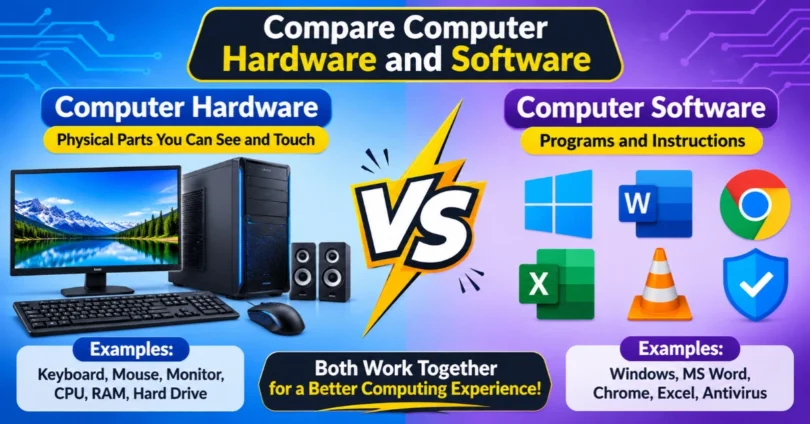
Computers play an important role in our daily lives, but have you ever wondered how they work? Every computer has two main parts: hardware and software. Hardware includes physical components like a keyboard, mouse, monitor, and CPU, while software includes programs that help users perform different tasks. When we compare Computer Hardware and Software, We can understand their main differences, functions, and importance. Both work together to make a computer useful for studying, working, playing games, and browsing the internet.
What Is Computer Hardware?
Computer hardware refers to the physical parts of a computer that we can see and touch. These parts help a computer perform different tasks. Examples of hardware include a keyboard, mouse, monitor, CPU, RAM, and hard drive. Each hardware component has a special job, such as entering data, displaying information, processing instructions, and storing files. Without hardware, a computer cannot work.
Common Examples
- Keyboard
- Mouse
- Monitor
- CPU
- RAM
- Hard Drive
What Is Computer Software?
Computer software is a collection of programs and instructions that tell a computer what to do. Unlike hardware, software cannot be seen or touched because it is stored digitally. It helps users perform different tasks, such as writing documents, browsing the internet, playing games, and watching videos. Common examples of software include Windows, Microsoft Word, Google Chrome, and antivirus programs. Without software, computer hardware cannot perform useful tasks.
Common Examples
- Windows
- Microsoft Word
- Google Chrome
- Microsoft Excel
- VLC Media Player
- Antivirus Software
Main Types of Computer Hardware and Software
Computer hardware and software have different types, and each type performs a special job. The following table explains their main types with simple examples.
| Computer Hardware | Computer Software |
| Input Devices | System Software |
| Output Devices | Application Software |
| Processing Devices | Utility Software |
| Storage Devices | Programming Software |
Compare Computer Hardware and Software
Computer hardware and software are two important parts of a computer system. They have different features and functions, but both work together to make a computer useful. The following table explains their main differences in simple English.
| Computer Hardware | Computer Software |
| Hardware is the physical part of a computer. | Software is a set of programs and instructions. |
| It can be seen and touched. | It cannot be physically touched. |
| It is made of electronic and physical components. | It is created using programming languages. |
| It helps process, store, and display data. | Software can become corrupted or develop errors. |
| Hardware can wear out or become damaged. | It is usually installed or downloaded. |
| It needs physical installation or connection. | Software can be updated or reinstalled. |
| Hardware can be repaired or replaced. | Its useful life depends on updates and compatibility. |
| It has a physical lifespan. | Examples include Windows, MS Word, and Chrome. |
| Examples include keyboard, mouse, and monitor. | Software needs hardware to run. |
| Hardware works with the help of software. | Software problems may cause programs to stop working. |
| Hardware problems may stop a computer from working. | It is used to perform different tasks and give instructions. |
| It is used to enter, process, and display information. | It is created using programming languages. |
How Do Computer Hardware and Software Work Together?
Computer hardware and software work together to help a computer perform different tasks. Hardware provides the physical parts, while software gives instructions to these parts. Here are some ways they work together
- Input: Hardware devices like a keyboard and mouse allow users to enter information into a computer.
- Processing: The CPU processes the information by following instructions from software.
- Storage: Storage devices save files, programs, and other important data.
- Display: Software sends information to the monitor through hardware so users can see the results.
- Printing: Software sends commands to the printer, and the printer produces documents on paper.
- Internet Access: Web browsers use network hardware to connect users to websites and online services.
Hardware and software depend on each other to make computers work properly and complete everyday tasks.
Common FAQs About Computer Hardware and Software
Here are Some Faqs of Computer Hardware and Software:
Why Is Computer Hardware Important for Software?
Computer hardware provides the physical resources that software needs to run. For example, the processor runs instructions, while memory helps programs work smoothly.
What Is the Difference Between Hardware Upgrades and Software Updates?
Hardware upgrades involve replacing or adding physical parts, such as more RAM or a larger SSD. Software updates improve programs by fixing errors, adding features, and improving security.
Can Hardware and Software Problems Affect Each Other?
Yes, hardware and software problems can affect each other. For example, faulty RAM may cause programs to crash, while software errors may prevent hardware devices from working correctly.
What Is Firmware in a Computer?
Firmware is a special type of software stored inside hardware devices. It helps control how devices work, such as a computer’s motherboard, keyboard, or printer.
How Do Hardware Drivers Help a Computer?
Hardware drivers are small software programs that allow the operating system to communicate with hardware devices. For example, a printer driver helps a computer send documents to a printer.
What Is the Role of an Operating System in Hardware Management?
An operating system manages computer resources, including memory, processors, storage, and connected devices. It helps different programs use hardware properly.
Why Does Software Need Regular Updates?
Software needs regular updates to fix security problems, remove errors, improve performance, and support new features. Updates also help programs work with newer hardware.
How Can Users Keep Computer Hardware and Software in Good Condition?
Users can maintain their computers by keeping devices clean, avoiding overheating, installing trusted software, updating programs, and using reliable security tools. Regular backups also help protect important files.
Conclusion
Understanding the differences between computer hardware and software helps us learn how computers work. Hardware includes the physical parts that perform different tasks, while software provides the instructions that control these parts. Both depend on each other and play an important role in making a computer useful. From studying and working to browsing the internet and playing games, hardware and software work together in many ways. By learning their functions, types, examples, and differences, students can better understand computer technology and use computers more effectively.