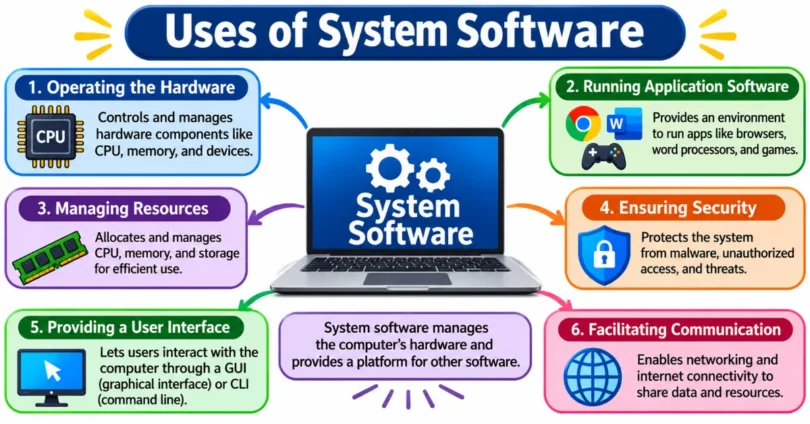
Uses of System Software, are important because they help computers work properly and smoothly. System software is a type of computer program that controls the hardware and helps other programs run. It works in the background and allows users to perform different tasks easily. Without system software, a computer cannot work correctly because it needs instructions to manage its parts. It helps control the keyboard, mouse, memory, files and other devices. It also helps users open applications, save information and connect to the internet.
What Is System Software?
System software is a set of computer programs that helps a computer work properly. It controls the main parts of a computer, such as the keyboard, mouse, memory and processor. It also helps other programs, like games, web browsers and drawing apps, run smoothly. System software works in the background so users do not need to control it all the time. It acts as a link between computer hardware and application software.
Main Types of System Software
System software has different types and each type performs a special job to help a computer work properly.
- Operating System: It manages computer hardware and helps users run different programs. Examples include Windows, Linux, and macOS.
- Device Drivers: They help the computer communicate with devices such as printers, keyboards and speakers.
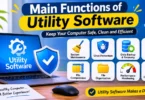
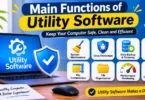
- Utility Software: It helps maintain and protect the computer. Examples include antivirus programs and disk cleanup tools.
- Firmware: It is special software stored inside a device to control its basic functions.
These types of system software work together to make computers run smoothly and perform different tasks.
Uses of System Software in Managing Computer Hardware
System software helps control computer hardware and makes sure all parts work properly.
- Controls Hardware Devices: It manages devices such as keyboards, mice and monitors.
- Manages the Processor: It helps the CPU perform different tasks correctly.
- Controls Memory: It manages computer memory and gives space to running programs.
- Connects Hardware Parts: It helps different computer parts communicate with each other.
- Manages Power: It helps control the power and basic working of computer devices.
System software keeps computer hardware working properly and smoothly.
Uses of System Software in Running Application Programs
System software helps application programs run properly and allows users to perform different tasks easily.
- Starts Applications: It helps users open programs such as games, browsers and text editors.
- Provides a Working Environment: It gives applications the basic support they need to work.
- Manages Program Resources: It provides memory and processing power to running applications.
- Controls Program Activities: It helps applications perform their tasks without problems.
- Supports Multiple Programs: It allows users to run more than one application at the same time.
System software makes it easy for users to run and use different application programs.
Uses of System Software in Managing Computer Memory
System software manages computer memory and helps programs work smoothly without problems.
- Allocates Memory: It gives memory space to different programs when they need it.
- Frees Memory: It releases memory when a program is closed.
- Manages Running Programs: It helps several programs use memory at the same time.
- Prevents Memory Problems: It helps avoid memory errors and improves computer performance.
- Uses Virtual Memory: It uses part of the storage drive as extra memory when needed.
System software manages memory and helps a computer work faster and more smoothly.
Uses of System Software in Managing Files and Folders
System software helps users create, organize, save and manage files and folders on a computer.
- Creates Files and Folders: It allows users to make new files and folders to store information.
- Saves Information: It helps users save documents, pictures, videos and other data.
- Finds Files Easily: It helps users search for files and folders when needed.
- Copies and Moves Files: It allows users to copy files or move them from one folder to another.
- Deletes Unwanted Files: It helps users remove files and folders they no longer need.
- Organizes Data: It keeps files and folders arranged so users can find information easily.
System software makes file and folder management simple, easy and organized.
Uses of System Software in Maintaining Computer Security
System software helps protect a computer and its important information from different security problems.
- Protects Data: It helps keep personal files and important information safe.
- Controls User Access: It uses passwords and user accounts to stop unwanted access.
- Supports Antivirus Tools: It helps security programs detect and remove harmful software.
- Protects the System: It helps prevent unauthorized changes to computer settings.
- Provides Security Updates: It helps update the system to fix security problems and improve protection.
- Manages Permissions: It controls which users can open or change certain files.
System software helps keep computers, files and personal information safe.
Uses of System Software in Managing Input and Output Devices
System software helps computers control input and output devices and makes communication between them easier.
- Manages Input Devices: It helps devices like keyboards, mice and scanners send information to the computer.
- Controls Output Devices: It helps monitors, printers and speakers show or produce results.
- Connects Devices: It allows different devices to communicate with the computer.
- Uses Device Drivers: It uses drivers to help the computer understand and control connected devices.
- Controls Device Functions: It helps input and output devices perform their tasks correctly.
System software makes input and output devices work properly with a computer.
Uses of System Software in Detecting and Fixing Computer Problems
System software helps find computer problems and provides tools to fix them easily.
- Detects Errors: It helps find errors that may stop the computer from working properly.
- Checks System Health: It checks important computer parts and system performance.
- Fixes Software Problems: It helps solve problems in system files and programs.
- Removes Unwanted Files: It helps clean temporary files to free up storage space.
System software helps detect errors, fix problems and keep computers working properly.
Uses of System Software in Networking and Internet Communication
System software helps computers connect to networks and communicate with other devices through the internet.
- Connects to Networks: It helps computers connect to Wi-Fi and wired networks.
- Shares Information: It allows computers to send and receive data over a network.
- Manages Internet Connections: It helps users access websites and online services.
- Supports Network Devices: It helps devices like routers and network adapters work properly.
- Provides Network Security: It helps protect network connections from unauthorized access.
- Supports Online Communication: It helps users communicate through email, video calls and other online services.
System software makes network connections and internet communication easier and more reliable.
Common FAQs About Uses of System Software
Here are some faqs of Uses of System Software:
Why is system software important for a computer?
System software is important because it helps a computer start, manage its resources and perform basic operations.
Can a computer work without system software?
No, a computer needs system software to control its basic functions and provide a working environment for other programs.
How does system software help beginners?
It provides a simple way to interact with a computer through menus, icons, settings and other easy-to-use features.
Does system software work in the background?
Yes, most system software works in the background and performs important tasks without needing constant user attention.
How does system software help save battery power?
It manages power settings and helps reduce energy use when a computer or mobile device is not being used.
Can system software be updated?
Yes, system software can be updated to add new features, improve performance and fix existing problems.
What is the difference between system software and application software?
System software manages the computer, while application software helps users perform specific tasks such as writing documents or editing pictures.
Is system software used in modern smart devices?
Yes, modern devices such as smartwatches, gaming consoles and digital cameras use system software to control their basic functions.
Conclusion
Uses of System Software are important in making computers and other digital devices work properly. System software helps manage hardware, run applications, organize files, protect information and connect devices to the internet. It also makes daily computer tasks easier, faster and safer. Without system software, users cannot enjoy the full features of a computer or smartphone.