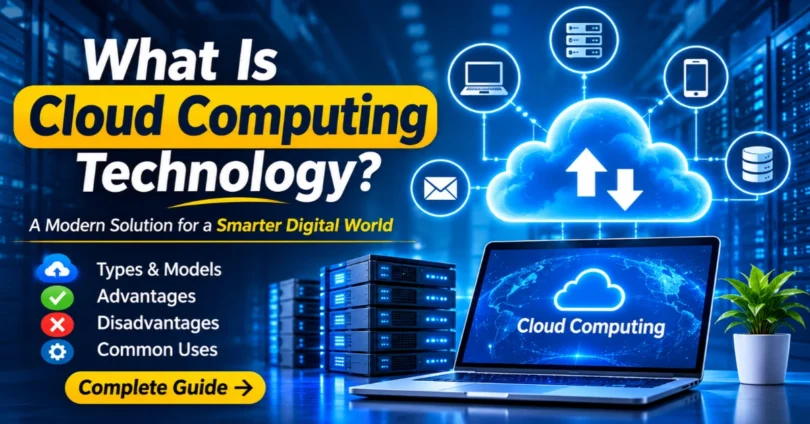
Cloud Computing Technology, Is an important part of the modern digital world, making it easier to store data, access applications, and manage online resources. But what is cloud computing technology, and how does it work? It allows users to access computing services through the internet without depending entirely on physical hardware. From online file storage to business applications, cloud computing provides flexible, cost-effective, and convenient solutions for individuals and organizations.
How Does Cloud Computing Work?
Cloud computing works through remote data centers that contain powerful servers, storage systems, and networking equipment. These servers process requests and provide services to users through the internet. When a user opens a cloud-based application or uploads a file, the request travels through the internet to the cloud provider’s servers.
The basic working process includes:
- User Request: A user opens an online service or application.
- Internet Connection: The request travels to the cloud server.
- Data Processing: The server processes the requested information.
- Service Delivery: The result is sent back to the user’s device.
- Data Storage: Information is saved on remote storage systems when required.
This process allows users to access their information from different devices without keeping everything on one computer.
Main Types of Cloud Computing
Cloud computing is available in different forms depending on how resources are managed and shared. Each type provides different levels of control, security, and flexibility.
Public Cloud
A public cloud provides computing services over the internet to multiple customers. The cloud provider manages the infrastructure, while users access resources according to their requirements.
Main features:
- Shared infrastructure.
- Flexible payment options.
- Easy access through the internet.
- No need to maintain physical servers.
Examples include Amazon Web Services, Microsoft Azure, and Google Cloud.
Private Cloud
A private cloud is designed for a single organization. Its resources are not shared with other customers, making it suitable for businesses that need greater control over their computing environment.
Main features:
- Dedicated computing resources.
- Greater administrative control.
- Custom security settings.
- Suitable for sensitive business information.
Private clouds are commonly used by financial institutions, government organizations, and large companies.
Hybrid Cloud
A hybrid cloud combines public and private cloud environments. It allows organizations to keep sensitive information in a private environment while using public cloud resources for other tasks.
Main features:
- Combines two cloud environments.
- Provides flexible resource management.
- Supports changing business needs.
- Helps balance security and performance.
This model is useful for organizations that need both flexibility and greater control over important data.
Community Cloud
A community cloud is shared by several organizations that have similar requirements, such as security standards, policies, or business objectives.
Main features:
- Shared infrastructure.
- Common security requirements.
- Controlled access.
- Shared management costs.
Educational institutions, research organizations, and government departments may use this model.
Main Service Models of Cloud Computing
Cloud computing services are divided into three major models. Each model provides a different level of control over software, platforms, and infrastructure.
Infrastructure as a Service (IaaS)
IaaS provides basic computing resources such as virtual machines, storage, and networking through the internet. Users can install operating systems and applications according to their needs.
Examples:
- Amazon EC2.
- Microsoft Azure Virtual Machines.
- Google Compute Engine.
It is useful for businesses that need computing infrastructure without purchasing physical servers.
Platform as a Service (PaaS)
PaaS provides an online platform where developers can build, test, and manage applications. It reduces the need to manage the underlying hardware and operating systems.
Examples:
- Google App Engine.
- Microsoft Azure App Service.
- Heroku.
It helps developers focus on application development instead of infrastructure management.
Software as a Service (SaaS)
SaaS provides ready-to-use software through the internet. Users can access applications through a web browser without installing or maintaining the complete software infrastructure.
Examples:
- Google Workspace.
- Microsoft 365.
- Salesforce.
- Dropbox.
This model makes software accessible from different devices and locations.
Important Components of Cloud Computing
Cloud computing depends on several technical components that work together to deliver online services. These components help manage data, applications, and computing resources.
- Servers: Process user requests and run applications.
- Storage: Saves files, databases, and other digital information.
- Networking: Connects users with cloud resources.
- Virtualization: Creates virtual versions of computing resources.
- Management Software: Controls and monitors cloud services.
- Security Systems: Protect information from unauthorized access.
All these components work together to provide reliable and accessible cloud services.
Popular Cloud Computing Providers
Several technology companies provide cloud computing services to individuals and businesses. They offer different tools for storage, hosting, databases, and application development.
- Amazon Web Services (AWS): Offers computing, storage, databases, and networking services.
- Microsoft Azure: Provides cloud infrastructure and business solutions.
- Google Cloud: Offers data analytics, storage, and machine learning services.
- IBM Cloud: Provides enterprise cloud and hybrid cloud solutions.
- Oracle Cloud: Focuses on databases, business applications, and infrastructure services.
Each provider offers different features, so users should compare services according to their requirements.
Common FAQs About Cloud Computing Technology
Common Faqs of Cloud Computing Technology:
Is cloud computing suitable for small businesses?
Yes, cloud computing is suitable for small businesses because it reduces infrastructure costs and provides access to professional digital tools without purchasing expensive equipment.
What is cloud migration?
Cloud migration is the process of moving applications, databases, and digital information from local computers or traditional servers to a cloud environment.
Can cloud computing work without the internet?
Most cloud computing services require an internet connection. However, some applications offer offline features that allow users to access limited data temporarily.
What is cloud storage capacity?
Cloud storage capacity refers to the amount of digital information that a cloud service can store, including documents, images, videos, and databases.
How does cloud computing support remote work?
Cloud computing allows employees to access shared files, business applications, and online tools from different locations, making remote teamwork easier.
What is cloud security?
Cloud security refers to the technologies, policies, and practices used to protect cloud-based data, applications, and infrastructure from cyber threats and unauthorized access.
What is multi-cloud computing?
Multi-cloud computing means using services from two or more cloud providers to manage different workloads and reduce dependence on a single provider.
What skills are required to learn cloud computing?
Important skills include networking, operating systems, virtualization, cloud platforms, cybersecurity basics, and scripting. Knowledge of AWS, Microsoft Azure, or Google Cloud is also helpful.
Conclusion
Cloud computing technology has become an important part of the modern digital world. It allows users to access computing resources, store information, and run applications through the internet without managing all the physical infrastructure themselves. Its major benefits include flexibility, scalability, cost savings, and easy accessibility. Although security, internet dependency, and ongoing costs are important considerations, cloud computing continues to support businesses, education, and everyday digital activities.