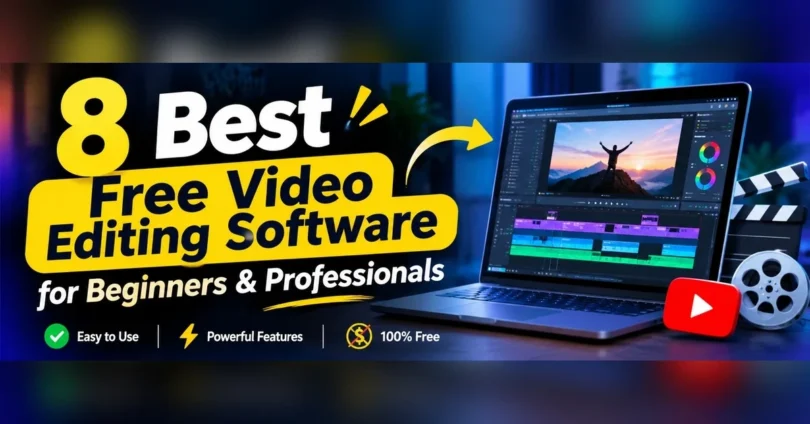
Video content has become an important part of online communication, education, marketing, and entertainment. Whether you create YouTube videos, social media reels, tutorials, or professional presentations, editing plays an important role in making your content attractive and engaging. Fortunately, several Free Video Editing Software, Programs provide useful editing tools without requiring an expensive subscription. These applications allow users to trim clips, add transitions, adjust audio, insert text, apply visual effects, and export finished videos. Some even offer professional-level editing features for advanced projects.
What Is Free Video Editing Software?
Free video editing software is a computer program or online application that allows users to create, modify, and improve video content without purchasing a paid license for its basic editing capabilities. These programs provide different tools for organizing video clips, removing unwanted sections, combining footage, adding background music, inserting subtitles, and adjusting visual quality. Depending on the application, users may also access advanced features such as color correction, motion graphics, audio mixing, and special effects.
8 Best Free Video Editing Software Options
Choosing the right video editor can make your editing work easier and more productive. Below are eight useful options for different types of users, including beginners, YouTube creators, students, and professional editors.
DaVinci Resolve
DaVinci Resolve is a powerful video editing application developed by Blackmagic Design. It is suitable for users who want professional editing capabilities without immediately investing in expensive software.
CapCut
CapCut is a popular video editing application designed for creating engaging social media content. It is particularly useful for people who produce short videos for platforms such as TikTok, Instagram Reels, and YouTube Shorts.
Shotcut
Shotcut is a free and open source video editing program available for Windows, macOS, and Linux. It is a useful choice for people who want desktop editing software without paying for a subscription.
OpenShot
OpenShot is another free and open-source video editor designed to make video editing accessible to beginners. Its simple interface allows users to import media, arrange clips, add titles, and apply transitions without learning complicated editing techniques.
Kdenlive
Kdenlive is an open source video editing application that provides multi-track editing and a wide range of creative tools. It is suitable for users who want more control over their video projects without paying for professional editing subscriptions.
Microsoft Clipchamp
Microsoft Clipchamp is a video editing application that provides a simple editing experience through a web browser and Windows application. It is particularly useful for users who want to create videos without learning a complicated editing interface.
iMovie
iMovie is a video editing application developed by Apple for compatible Mac, iPhone, and iPad devices. It is designed to help users create polished videos through a straightforward editing workflow.
Lightworks
Lightworks is a video editing application designed for users who want a more traditional editing workflow. It offers timeline-based editing tools that help users organize footage, arrange clips, and create structured video projects.
These 8 free video editing software options make it easy to create professional-quality videos without spending a penny. Choose the one that best suits your needs and start editing today
Important Features to Look for in Video Editing Software
Not every video editor provides the same capabilities. Understanding the most important features can help you select software that matches your projects.
- Easy-to-Use Interface: A simple interface helps users understand editing tools without spending too much time learning the application.
- Multiple Timeline Tracks: Multi-track editing allows users to place different video clips, background music, voice recordings, and visual elements on separate tracks
- Video Effects and Transitions: Effects and transitions improve the appearance of video content.
- Audio Editing Tools: Good audio is important for creating professional-looking videos.
- Export Quality and Formats: Export settings determine the final resolution, file format, frame rate, and quality of your video.
- Subtitle and Text Editing: Subtitle tools help creators make videos easier to understand.
Choosing video editing software with the right features can make your editing process easier, faster, and more professional. Always look for tools that match your needs and help bring your creative ideas to life!
How to Choose the Right Free Video Editing Software
Choosing the right video editor depends on what you want to create and how much editing experience you have. Consider these factors before installing any application.
- Identify Your Editing Requirements: First, decide what type of content you want to produce.
- Check Your Computer Specifications: Video editing can require significant processing power, memory, and storage space.
- Consider Your Experience Level: Beginners should select applications with simple interfaces and basic editing tools.
- Review Free Version Limitations: Some programs offer free downloads but restrict certain features.
- Verify Platform Compatibility: Always check whether the software supports your operating system.
The best free video editing software depends on your needs, skill level, and editing goals.
Benefits of Using Free Video Editing Software
Free video editing applications offer several advantages for people who want to create content without spending money on expensive programs.
- Lower Costs: Users can start editing videos without purchasing an expensive license.
- Learning Opportunities: Beginners can practice different editing techniques and develop useful creative skills.
- Content Creation: These tools help users create videos for educational, personal, and professional purposes.
- Creative Flexibility: Features such as transitions, filters, text, and audio adjustments provide different ways to improve videos.
- Accessible Tools: Many free applications support common editing requirements across multiple devices.
- Professional Development: Learning editing software can help users prepare for careers in video production, digital marketing, and content creation.
Free video editing software allows you to create high quality, professional looking videos without spending money.
Common FAQs About Free Video Editing Software
Here are Some Faqs of Free Video Editing Software:
Can I edit videos professionally with free software?
Yes, you can create high quality videos using free editing applications. Programs such as DaVinci Resolve provide advanced editing, color correction, and audio tools.
Is free video editing software safe to download?
Generally, established video editing applications are safe when downloaded from their official websites or trusted app stores.
Which video editor is suitable for editing long videos?
DaVinci Resolve is a strong option for long-form projects because it provides detailed timeline editing, audio tools, and color correction.
Can I use video editing software without an internet connection?
Yes, many desktop applications, including DaVinci Resolve, Shotcut, and Kdenlive, support offline editing after installation.
What is the difference between video rendering and video exporting?
Rendering is the process of processing editing instructions, effects, and media elements to produce the final video.
Which video format is commonly used for sharing videos online?
MP4 is a widely supported format for sharing videos online. It commonly uses H.264 video compression and AAC audio, making it suitable for many websites and social media platforms.
Do free video editors support subtitles?
Yes, several free video editors support subtitle creation or importing subtitle files. Some applications also provide speech-to-text features, although the availability of automatic transcription can vary.
How much RAM is recommended for video editing?
The required memory depends on the editing application, video resolution, and project complexity.
Conclusion
Free video editing software makes it possible for beginners, students, content creators, and professionals to produce attractive videos without immediately investing in expensive applications. Programs such as DaVinci Resolve, CapCut, Shotcut, OpenShot, and Kdenlive provide different editing capabilities for various creative requirements.Before selecting an application, consider your experience, computer specifications, editing goals, and the limitations of its free version. Start with a small project, explore the available tools, and gradually improve your editing skills.