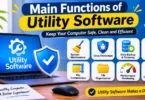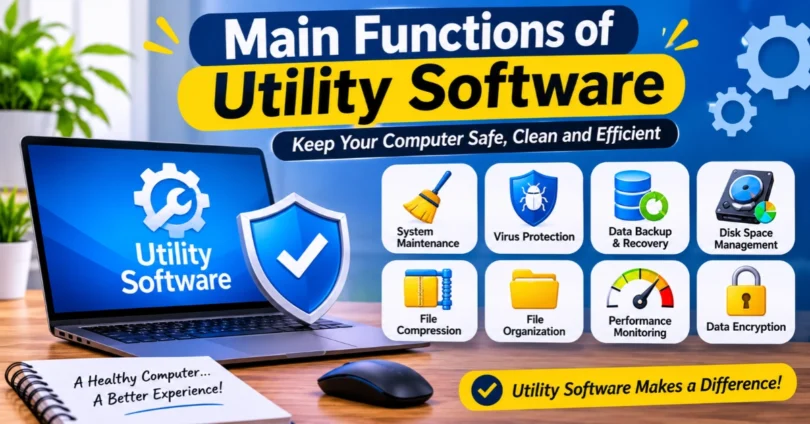
Computers need proper care to work smoothly, stay safe, and perform daily tasks without problems. This is where utility programs become useful. Different Types of Utility Programs, Help users protect their computers, remove unwanted files, manage storage, recover lost data, and improve system performance. Each type has a special job that makes computer use easier and safer. Whether you are a student, teacher, or regular computer user, understanding these programs can help you take better care of your device.
How Do Utility Programs Work?
Utility programs work by checking, managing, and protecting different parts of a computer. They follow simple instructions to keep the system safe, organized, and working properly.
- Scanning Computer Files: Utility programs check files and folders to find harmful software, unwanted data, or other problems.
- Finding System Problems: They examine different parts of the computer to detect errors that may affect its performance.
- Removing Unwanted Files: Some utility programs find temporary files, old data, and other unnecessary items to free up storage space.
- Protecting Important Data: Security utilities help protect personal files from viruses, malware, and unauthorized access.
- Managing Computer Storage: These programs help organize files, manage disk space, and keep storage devices in good condition.
- Creating Data Backups: Backup utilities make extra copies of important files so users can restore them if the original data is lost.
- Improving System Performance: Some utilities monitor computer resources and help users identify problems that may slow down the system.
Utility programs work by checking, cleaning, protecting, and managing computer resources to help the system run smoothly and safely.
Different Types of Utility Programs and Their Uses
Utility programs come in different types, and each type performs a special job on a computer. Some protect the system from viruses, while others manage files, clean storage, recover lost data, and improve computer performance. Let’s understand the most common types of utility programs and their uses with simple examples.
Antivirus Programs
Antivirus programs protect computers from viruses and other harmful software. They scan files, folders, and downloaded programs to find possible threats. If they detect a virus, they can block, remove, or quarantine it.
Uses:
- Scan computer files for viruses.
- Protect computers from harmful software.
- Remove or quarantine infected files.
- Provide protection against new security threats.
Anti-Malware Programs
Anti-malware programs help find and remove harmful software called malware. Malware can damage files, steal information, or disturb computer activities. These tools check the system and help remove dangerous programs.
Uses:
- Detect harmful software.
- Find suspicious files and applications.
- Remove unwanted malware.
- Protect personal information from certain threats.
Firewall Programs
Firewall programs help protect computers by controlling incoming and outgoing network connections. They check network traffic and block connections that may be unsafe or unauthorized.
Uses:
- Block unwanted network connections.
- Help prevent unauthorized access.
- Monitor incoming and outgoing traffic.
- Improve computer network security.
Disk Cleanup Programs
Disk cleanup programs remove unnecessary files from a computer to free up storage space. These files may include temporary data, old system files, and other unwanted items.
Uses:
- Remove unnecessary temporary files.
- Free up storage space.
- Help manage computer storage.
- Keep the system organized.
Disk Defragmentation Programs
Disk defragmentation programs organize scattered pieces of data on traditional hard disk drives (HDDs). This helps the drive read stored information more efficiently. SSDs use a different optimization process and should not be manually defragmented like HDDs.
Uses:
- Organize scattered data on HDDs.
- Help improve HDD file access.
- Maintain traditional hard drive performance.
- Optimize storage according to the drive type.
Backup Programs
Backup programs create extra copies of important files and folders. These copies help users restore their information if their computer is damaged, lost, or affected by a technical problem.
Uses:
- Create copies of important files.
- Protect personal and work documents.
- Save data to external drives or cloud storage.
- Restore files when the original data is lost.
Data Recovery Programs
Data recovery programs help users find and restore deleted, lost, or damaged files. They can be useful when someone accidentally deletes an important document or loses data because of a storage problem.
Uses:
- Recover accidentally deleted files.
- Restore lost photos and documents.
- Search storage devices for recoverable data.
- Help recover information from damaged storage devices.
File Compression Programs
File compression programs make files smaller so they take up less storage space. They can also combine multiple files into one compressed folder, making it easier to share and transfer data.
Uses:
- Reduce file sizes.
- Combine multiple files into one archive.
- Make file sharing easier.
- Extract compressed files when needed.
File Management Programs
File management programs help users create, organize, move, copy, rename, and delete files and folders. They make it easier to find important information on a computer.
Uses:
- Organize files into folders.
- Copy and move documents.
- Rename and delete unwanted files.
- Search for stored information.
Disk Management Programs
Disk management programs help users manage storage drives and their partitions. They allow users to check available storage, create partitions, and format drives when needed.
Uses:
- Create and manage disk partitions.
- Check available storage space.
- Format storage drives.
- Manage different storage devices.
Data Encryption Programs
Data encryption programs protect information by changing readable data into a coded form. Only people with the correct password or key can read the protected information.
Uses:
- Protect private files and folders.
- Secure sensitive information.
- Prevent unauthorized users from reading data.
- Protect information stored on computers and drives.
System Monitoring Programs
System monitoring programs help users check how a computer is working. They show information about the processor, memory, storage, and other system resources.
Uses:
- Check CPU usage.
- Monitor RAM and memory usage.
- View running applications.
- Identify programs using too many system resources.
System Diagnostic Programs
System diagnostic programs help find problems in computer hardware and software. They run checks to identify errors and provide information that can help users understand what is wrong.
Uses:
- Check computer hardware.
- Find memory and storage problems.
- Detect system errors.
- Help troubleshoot computer issues.
Software Uninstaller Programs
Software uninstaller programs help remove unwanted applications from a computer. Some tools also search for leftover files and settings after an application is removed.
Uses:
- Remove unwanted applications.
- Find leftover program files.
- Free up storage space.
- Help keep installed software organized.
System Restore Programs
System restore programs help return certain computer settings and system files to an earlier working state. They are useful when a recent software change or update causes problems.
Uses:
- Restore earlier system settings.
- Help fix problems caused by software changes.
- Return system files to a previous state.
- Reduce the need to reinstall the operating system in some situations.
These 15 types of utility programs perform different tasks, but they all help users manage, protect, and maintain their computers. Choosing the right utility depends on the problem you want to solve.
Common FAQs About Different Types of Utility Programs
Here are Some Faqs of Different Types of Utility Programs:
Can Utility Programs Work Without an Internet Connection?
Yes, many utility programs work without the internet. For example, disk cleanup tools, file managers, and system diagnostic tools can perform their tasks offline.
Do Utility Programs Use Computer Memory?
Yes, utility programs use some computer memory while running. The amount depends on the program and the task it performs.
Can Two Utility Programs Perform the Same Task?
Yes, different utility programs can perform similar tasks. For example, several tools can compress files or check computer security.
Are Utility Programs Included in Operating Systems?
Many operating systems include built-in utility tools. Windows, macOS, and Linux provide different tools for managing files, checking storage, and maintaining system performance.
How Often Should Utility Programs Be Used?
It depends on the type of utility program. Security tools should provide regular protection, while storage cleanup and diagnostic tools can be used when needed.
Can Utility Programs Help Prevent Computer Errors?
Yes, some utility programs can help prevent common computer problems. For example, diagnostic tools can detect early signs of hardware issues, while backup tools help protect important files from unexpected data loss.
What Is the Difference Between General Utility Programs and Specialized Utility Programs?
General utility programs perform common tasks, such as managing files and checking storage. Specialized utility programs focus on specific needs, such as encrypting private information or recovering deleted data.
Can Utility Programs Work on Different Operating Systems?
Some utility programs support multiple operating systems, while others are designed for only one platform. Before installing a utility, users should check whether it supports their operating system and computer version.
Conclusion
Understanding the different types of utility programs helps computer users learn how to keep their devices safe, organized, and working properly. Each utility program has a different purpose, such as protecting files, managing storage, recovering lost data, and checking system performance. These tools make everyday computer tasks easier and help prevent common problems. Choosing the right utility program depends on your needs and the type of work you want to do. Always use trusted software and keep it updated for better results. With the right utility programs, you can take better care of your computer and protect your important information.