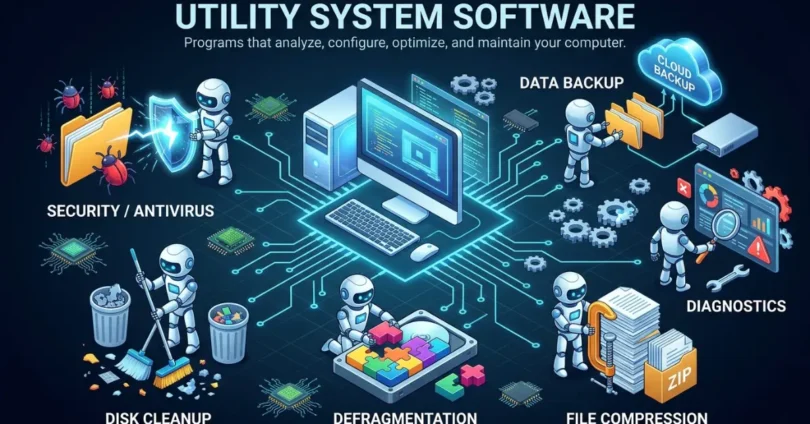
What Is Utility System Software, It is a common question for people who want to understand how computers stay safe, clean and work properly. Utility system software is a type of system software that helps maintain, protect, and improve a computer. It performs important tasks such as removing unwanted files, checking for viruses, managing storage and backing up important data. These tools make computer maintenance easier and help users avoid common problems. In this guide, you will learn about utility system software, its types, functions, examples, benefits and how it helps keep your computer running smoothly.
How Does Utility Software Fit Into System Software?
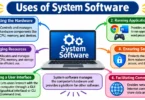
Utility software is a part of system software that helps a computer work properly and stay in good condition. System software controls the basic operations of a computer and allows its hardware and other programs to work. Utility software supports the operating system by performing important maintenance tasks, such as removing unwanted files, checking for viruses, managing storage, and protecting important data. For example, antivirus software helps protect a computer from harmful programs, while disk cleanup tools remove unnecessary files. System software runs the computer, while utility software helps maintain and protect it.
How Does Utility Software Work?
Utility software works with the operating system to keep a computer safe, clean, and running smoothly. It performs different tasks to maintain the computer and solve common problems.
- Scans Computer Files: It checks files and folders to find viruses, harmful programs and other problems.
- Removes Unwanted Files: It finds and deletes temporary files and other unnecessary data to free up storage space.
- Manages Storage: It helps organize files, check disk space and manage storage devices.
- Protects Important Data: It creates backup copies of important files to prevent data loss.
- Checks Computer Performance: It monitors system activity and helps find problems that may slow down the computer.
- Fixes Common Errors: Some utility tools find and repair file system errors and other computer issues.
- Keeps Software Updated: Some utilities help check for updates to improve security and performance.
Utility software works in the background or when users open it to protect, maintain and improve the computer’s performance.
What Are the Main Types of Utility System Software?
Utility system software comes in different types, and each type performs a special task to keep a computer working properly.
- Antivirus Software: Protects computers from viruses and harmful programs.
- Disk Cleanup Software: Removes unwanted files to free up storage space.
- File Compression Software: Makes files smaller and easier to store or share.
- Backup and Recovery Software: Saves copies of important files and helps restore lost data.
- Disk Management Software: Helps manage storage drives and check disk health.
- File Management Software: Helps users organize, copy, move and delete files.
- Encryption Software: Protects private information by changing it into a secure format.
- System Monitoring Software: Checks computer performance and helps find problems.
Each type of utility software has a different job, but all help keep a computer safe, organized and in good working condition.
What Are the Main Functions of Utility Software?
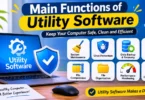
Utility software performs different tasks to keep a computer safe, clean and working properly. Its main functions include:
- Data Protection: Keeps private information safe through encryption.
- Virus Protection: Finds and removes harmful programs.
- File Management: Helps organize, move, copy and delete files.
- Storage Management: Frees up space by removing unwanted files.
- Data Backup: Saves copies of important information.
- System Maintenance: Checks and fixes common computer problems.
- File Compression: Reduces file sizes to save storage space
These functions help computers stay secure, organized, and work more efficiently.
What Are Some Examples of Utility System Software
Many utility software programs help users protect, clean and manage their computers. Some common examples include:
- Microsoft Defender: Protects computers from viruses and malware.
- CCleaner: Removes unwanted files and frees up storage space.
- WinRAR: Compresses files and makes them smaller.
- 7-Zip: Helps compress and extract files.
- Windows Disk Cleanup: Removes temporary and unnecessary files.
- Windows Backup: Creates copies of important files.
- Task Manager: Monitors computer performance and running programs.
These utility programs make computer maintenance easier and help keep systems running smoothly.
What Is the Difference Between Utility Software and Application Software?
Here are some Table of What Is Utility System Software:
| Utility Software | Application Software |
| Maintains and protects a computer. | Helps users perform specific tasks. |
| Supports system performance. | Supports daily user activities. |
| Helps remove unwanted files. | Helps create and edit documents. |
| Protects computers from viruses. | Helps users browse the internet. |
| Example: Microsoft Defender. | Example: Microsoft Word. |
| Example: Disk Cleanup. | Example: Google Chrome. |
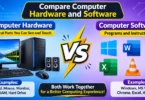
Utility software maintains and protects a computer, while application software helps users complete different tasks.
What Are the Benefits of Using Utility System Software?
Utility system software offers many benefits that help keep computers safe, clean, and running smoothly. Some important benefits include:
- Better Security: Protects computers from viruses and harmful programs.
- More Storage Space: Removes unnecessary files to free up space.
- Data Protection: Keeps important files safe through backups.
- Better Performance: Helps computers work more smoothly.
- Easy File Management: Makes organizing files simple.
- Problem Detection: Finds common computer errors and helps fix them.
Utility system software makes computers easier to maintain, safer to use, and more reliable.
Common FAQs About What Is Utility System Software?
Here are some faqs of What Is Utility System Software:
Is Utility Software Necessary for Every Computer?
Yes, utility software is useful for every computer because it helps users manage and maintain their systems.
Can Utility Software Work Without an Internet Connection?
Yes, many utility programs work offline, such as disk cleanup and file management tools.
Is Utility Software Free to Use?
Some utility programs are free, while others require payment for advanced features.
Can Utility Software Damage Computer Files?
Yes, incorrect settings or actions may delete important files, so users should be careful when using these tools.
How Often Should You Run Utility Software?
It depends on the tool. Some programs run automatically, while others can be used when needed.
Can Two Utility Programs Run at the Same Time?
Yes, but running similar programs together may use extra system resources or cause conflicts.
Is Built-in Utility Software Better Than Third-Party Software?
Built-in tools are often safer and easier to use, while third party tools may offer extra features.
How Can You Keep Utility Software Safe and Updated?
Download programs from trusted websites and install updates regularly to get security improvements and bug fixes.
Conclusion
What Is Utility System Software? It is an important part of a computer that helps keep the system safe, clean, and working properly. It makes computer maintenance easier by managing files, protecting data, and checking system health. Different utility tools perform different tasks, but they all help users take better care of their computers. Understanding these tools can help you use your computer more safely and wisely.