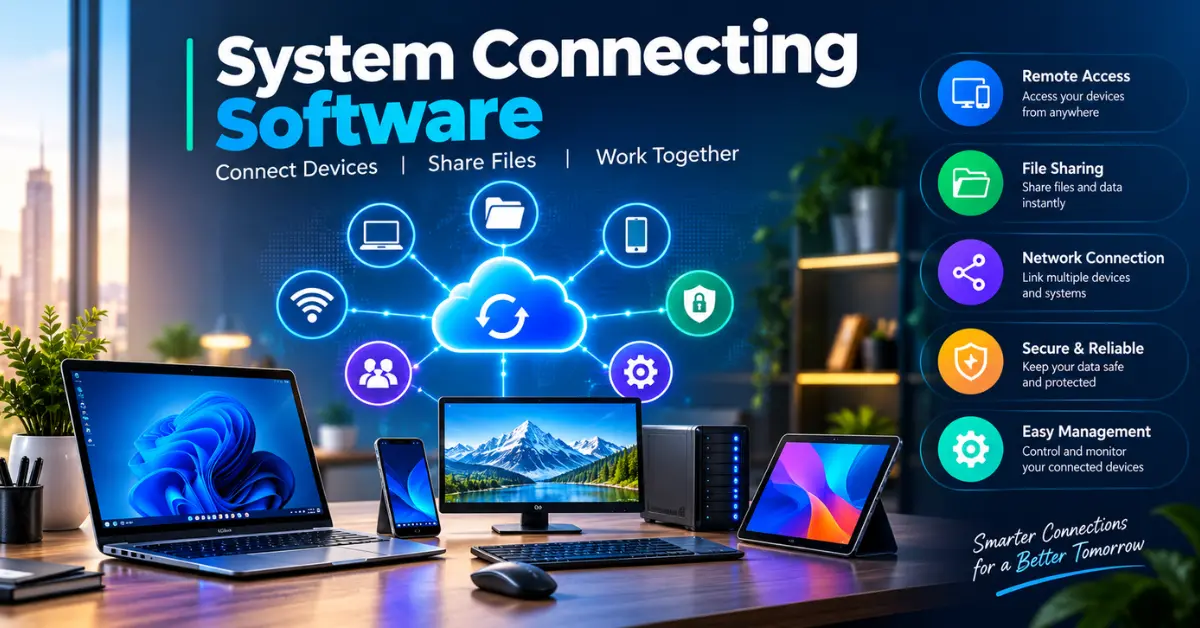
System connecting software, Helps computers, devices, and applications work together easily. It allows users to share files, exchange data, access other computers, and connect different systems. This software is useful at home, in schools, and in offices because it makes communication and daily tasks easier. Some tools help connect devices over a network, while others allow users to control computers from a distance. In this guide, you will learn what system connecting software is, how it works, its main types, its benefits, and how to choose the right tool for your needs.
How Does System Connecting Software Work?
System connecting software helps computers, devices, and applications communicate with each other. It follows a few simple steps to create a connection and share information.
- Device Detection: The software identifies the computers or devices that need to connect.
- Connection Setup: It creates a connection through a network, the internet, or another supported method.
- Data Transfer: It allows connected devices to send and receive files, messages, and other information.
- Communication: The software helps devices exchange information so they can work together.
- Access Control: It checks user permissions to decide who can access connected devices or shared data.
- Security Protection: Many tools use encryption and other security features to protect information during transfer.
- Connection Management: The software monitors the connection and helps keep devices connected while they share information.
System connecting software creates a link between devices and helps them communicate, share data, and work together efficiently.
Main Types of System Connecting Software
System connecting software comes in different types, and each type helps devices or applications connect and work together in a specific way.
- Network Connection Software
- Remote Access Software
- Device Synchronization Software
- System Integration Software
- File and Data Sharing Software
Each type helps connect devices, share data, or make different systems work together.
Key Features of System Connecting Software
System connecting software offers several useful features that help devices communicate, share information, and work together smoothly.
- Device Connectivity: It connects computers, phones, and other supported devices.
- Data Sharing: It allows users to share files and information between connected systems.
- Remote Access: It lets users access another computer from a different location.
- Security and Access Control: It helps protect data and controls who can access connected devices.
- Real Time Communication: It allows connected systems to exchange information quickly.
- Easy Management: It helps users manage connected devices and monitor their connections.
- Data Synchronization: It keeps files and information updated across supported devices.
- Compatibility: It supports different devices and operating systems, depending on the software.
These features make system connecting software useful for improving communication, sharing data, and managing connected devices efficiently.
Common Uses of System Connecting Software
System connecting software is used in homes, schools, offices, and businesses to connect devices and make daily tasks easier.
- Connecting Computers in an Office: It connects office computers so employees can share information and work together.
- Sharing Files Between Devices: It helps users transfer documents, photos, and other files between connected devices.
- Managing Remote Computers: It allows users to access and control computers from another location.
- Connecting Business Applications: It helps different applications exchange data and work together smoothly.
- Supporting Online Teamwork: It allows team members to share information and work on projects from different locations.
- Managing Network Devices: It helps IT teams monitor and manage computers and other devices on a network.
- Backing Up Important Data: Some connecting tools sync files with cloud services, helping users keep their data available across devices.
- Providing Technical Support: It allows support staff to access a computer remotely, with permission, to diagnose and fix problems.
System connecting software makes it easier to share data, manage devices, and work with others in different locations.
How to Set Up System Connecting Software Step by Step
Setting up system connecting software is usually easy if you follow the correct steps. Here is a simple guide to help you connect your devices safely and properly.
- Identify Your Connection Needs: Decide what you want to connect, such as two computers, different applications, or devices in an office.
- Choose the Right Software: Select software that matches your needs. For example, AnyDesk can help with remote access, while OneDrive can sync files across devices.
- Check Device Compatibility: Make sure the software supports your operating system, such as Windows, macOS, or Linux, where applicable.
- Download and Install the Software: Download the software from its official website or a trusted app store. Follow the installation instructions.
- Connect Your Devices: Open the software and follow its instructions to connect your devices. You may need an internet connection, a local network, or an account.
- Configure Security Settings: Use strong passwords, enable two-factor authentication when available, and allow access only to trusted users.
- Test the Connection: Try sharing a small file or accessing the connected device to check whether everything works correctly.
Following these steps helps you set up system connecting software smoothly and securely, allowing your devices to communicate and share information.
Best Examples of System Connecting Software
Several software tools help connect computers, share files, and access devices remotely. Here are some common examples:
- Microsoft Remote Desktop: Allows users to access another computer remotely.
- TeamViewer: Helps users control computers and provide technical support from a distance.
- AnyDesk: Provides remote access to computers and other supported devices.
- Microsoft OneDrive: Syncs files across devices using cloud storage.
- Cisco Networking Software: Helps manage and monitor network connections.
Each tool serves a different purpose, so choose the software that best matches your connection needs.
Common Uses of System Connecting Software
System connecting software is used in homes, schools, offices, and businesses to connect devices and make daily tasks easier.
- Connecting Computers in an Office: It connects office computers so employees can share information and work together.
- Sharing Files Between Devices: It helps users transfer documents, photos, and other files between connected devices.
- Managing Remote Computers: It allows users to access and control computers from another location.
- Connecting Business Applications: It helps different applications exchange data and work together smoothly.
- Supporting Online Teamwork: It allows team members to share information and work on projects from different locations.
- Managing Network Devices: It helps IT teams monitor and manage computers and other devices on a network.
- Backing Up Important Data: Some connecting tools sync files with cloud services, helping users keep their data available across devices.
- Providing Technical Support: It allows support staff to access a computer remotely, with permission, to diagnose and fix problems.
System connecting software makes it easier to share data, manage devices, and work with others in different locations.
Advantages and Disadvantages of System Connecting Software
System connecting software offers many benefits, but it can also have some limitations.
| Advantages | Disadvantages |
| Easy file sharing | Security risks |
| Better teamwork | Internet dependency |
| Saves time | Setup can be difficult |
| Remote device access | Some tools cost money |
| Faster communication | Connection problems |
System connecting software improves communication and productivity, but users should choose secure and reliable tools.
Common FAQs About System Connecting Software
Here are Some Faqs of System Connecting Software:
Can System Connecting Software Connect Different Operating Systems?
Yes, some tools support different operating systems, such as Windows, macOS, and Linux. Compatibility depends on the software you choose.
Does System Connecting Software Need Special Technical Skills?
No, many tools are designed for beginners and offer simple instructions. However, advanced network connections may require technical knowledge.
Can System Connecting Software Work Without Wi-Fi?
Yes, some software can connect devices through Ethernet cables or a local network. The connection method depends on the tool and its requirements.
How Can I Check if My Connected Devices Are Working Properly?
You can check the software’s connection status, review error messages, and test basic tasks such as opening a shared file.
Can System Connecting Software Support Multiple Users?
Yes, some tools support multiple users or devices. The number of supported connections depends on the software and its subscription plan.
How Often Should System Connecting Software Be Updated?
You should install updates when they become available, especially security updates. Updates can fix bugs, improve performance, and add new features.
Can System Connecting Software Limit Access to Specific Files?
Yes, certain tools allow administrators to set permissions for users, folders, or shared resources. This helps prevent unauthorized access to private information.
What Should I Do Before Removing System Connecting Software?
First, save important settings, disconnect active sessions, and check whether other applications depend on the software. Then uninstall it using your device’s normal removal process.
Conclusion
System connecting software plays an important role in helping computers, devices, and applications work together. It makes file sharing, remote access, and data management easier for students, home users, and businesses. Different tools offer different features, so it is important to choose software that matches your needs and supports your devices. Always download software from trusted sources and use proper security settings to protect your information. With the right system connecting software, you can make your daily computer tasks easier, safer, and more efficient.